Day 18: Docker Compose!
What is Docker Compose?
Docker Compose is a tool that simplifies the process of defining and running multi-container Docker applications. You use a YAML file to configure your application’s services, networks, and volumes, and then spin them up with a single command.
What is YAML?
YAML stands for "Yet Another Markup Language".
It’s a human-readable data serialization language used for configuration files. YAML files typically have .yml or .yaml extensions.
Today’s Task: Docker Compose Configuration
Docker Compose File
version: '3.8'

services:
  backend:
    build:
      context: .
    ports:
      - "5000:5000"
    environment:
      MYSQL_HOST: mysql
      MYSQL_USER: admin
      MYSQL_PASSWORD: admin
      MYSQL_DB: myDb
    depends_on:
      - mysql

  mysql:
    image: mysql:5.7
    ports:
      - "3306:3306"
    environment:
      MYSQL_ROOT_PASSWORD: root
      MYSQL_DATABASE: myDb
      MYSQL_USER: admin
      MYSQL_PASSWORD: admin
    volumes:
      - ./message.sql:/docker-entrypoint-initdb.d/message.sql
      - mysql-data:/var/lib/mysql

volumes:
  mysql-data:
Breakdown of the Configuration
Version
version: '3.8': Uses Docker Compose file format version 3.8, compatible with Docker Engine 19.03.0+.
Services
Backend Service
backend: build: context: . ports: - "5000:5000" environment: MYSQL_HOST: mysql MYSQL_USER: admin MYSQL_PASSWORD: admin MYSQL_DB: myDb depends_on: - mysqlbuild: Builds the Docker image for the backend service from the current directory (context: .).ports: Maps port 5000 on the host to port 5000 in the container.environment: Sets environment variables for the backend to connect to the MySQL database.MYSQL_HOST: Hostname of the MySQL service (mysql).MYSQL_USER,MYSQL_PASSWORD,MYSQL_DB: Credentials and database name for connecting to MySQL.
depends_on: Ensures the MySQL service starts before the backend service.
MySQL Service
mysql: image: mysql:5.7 ports: - "3306:3306" environment: MYSQL_ROOT_PASSWORD: root MYSQL_DATABASE: myDb MYSQL_USER: admin MYSQL_PASSWORD: admin volumes: - ./message.sql:/docker-entrypoint-initdb.d/message.sql - mysql-data:/var/lib/mysqlimage: Uses the MySQL 5.7 image from Docker Hub.ports: Maps port 3306 on the host to port 3306 in the container.environment: Configures MySQL with root password, a default database, and a non-root user.volumes:./message.sql:/docker-entrypoint-initdb.d/message.sql: Mounts a SQL file to initialize the database.mysql-data:/var/lib/mysql: Persists MySQL data using a named volume.
Volumes
volumes:
  mysql-data:
How to Set Up and Use the Volume
Create the Volume
Before using the volume in your Docker Compose file, create it using:
docker volume create mysql-data
How to Use This Configuration
Start Services
Run
docker-compose upto start both backend and MySQL services. This command builds the backend image (if needed), starts the containers, and attaches them to a network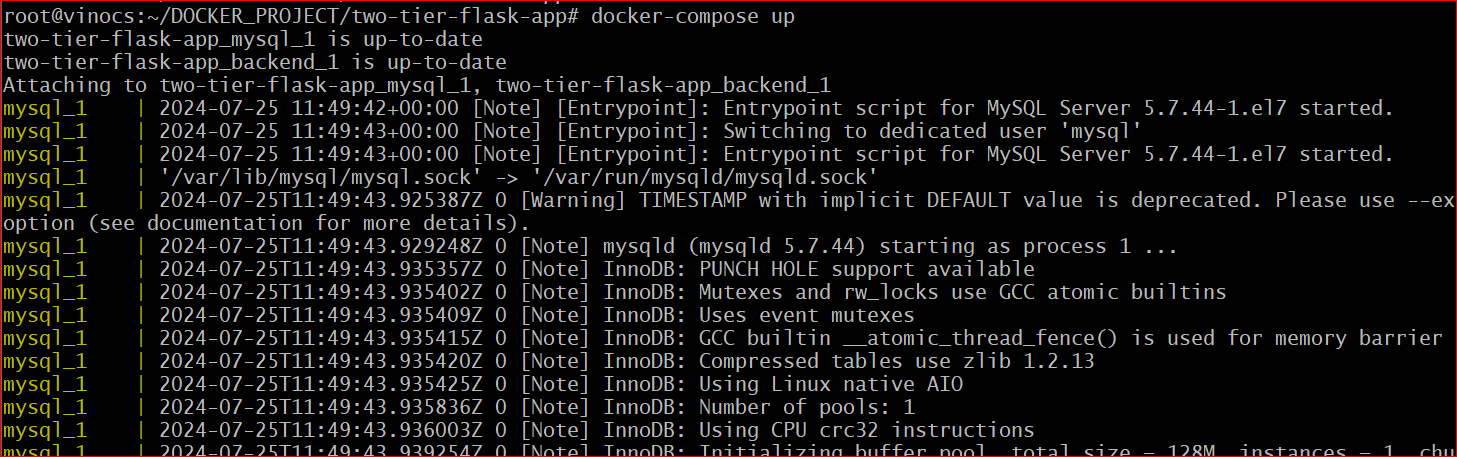
Inspect Services

Test the Application
Open the browser and browse the Instace IP followed by port number 5000 mapped with the backend container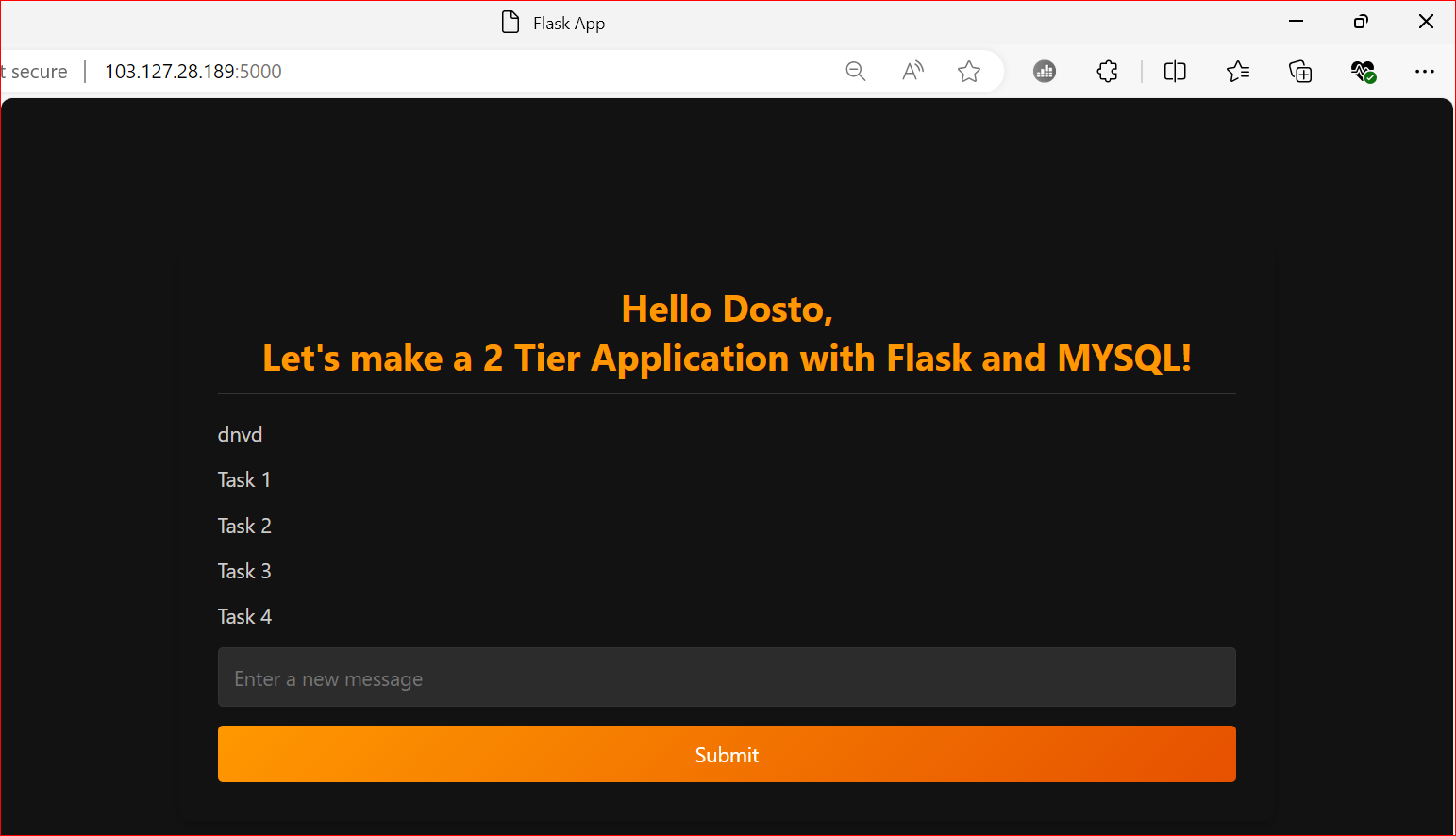
Wow it's running
Check Logs
- Use
docker-compose logsto view logs from both services and ensure everything is running smoothly.
- Use
Stop Services
- Run
docker-compose downto stop and remove all containers, networks, and volumes defined in thedocker-compose.ymlfile.
- Run
Happy Dockerizing! 😃